# dotscape
## What is this?
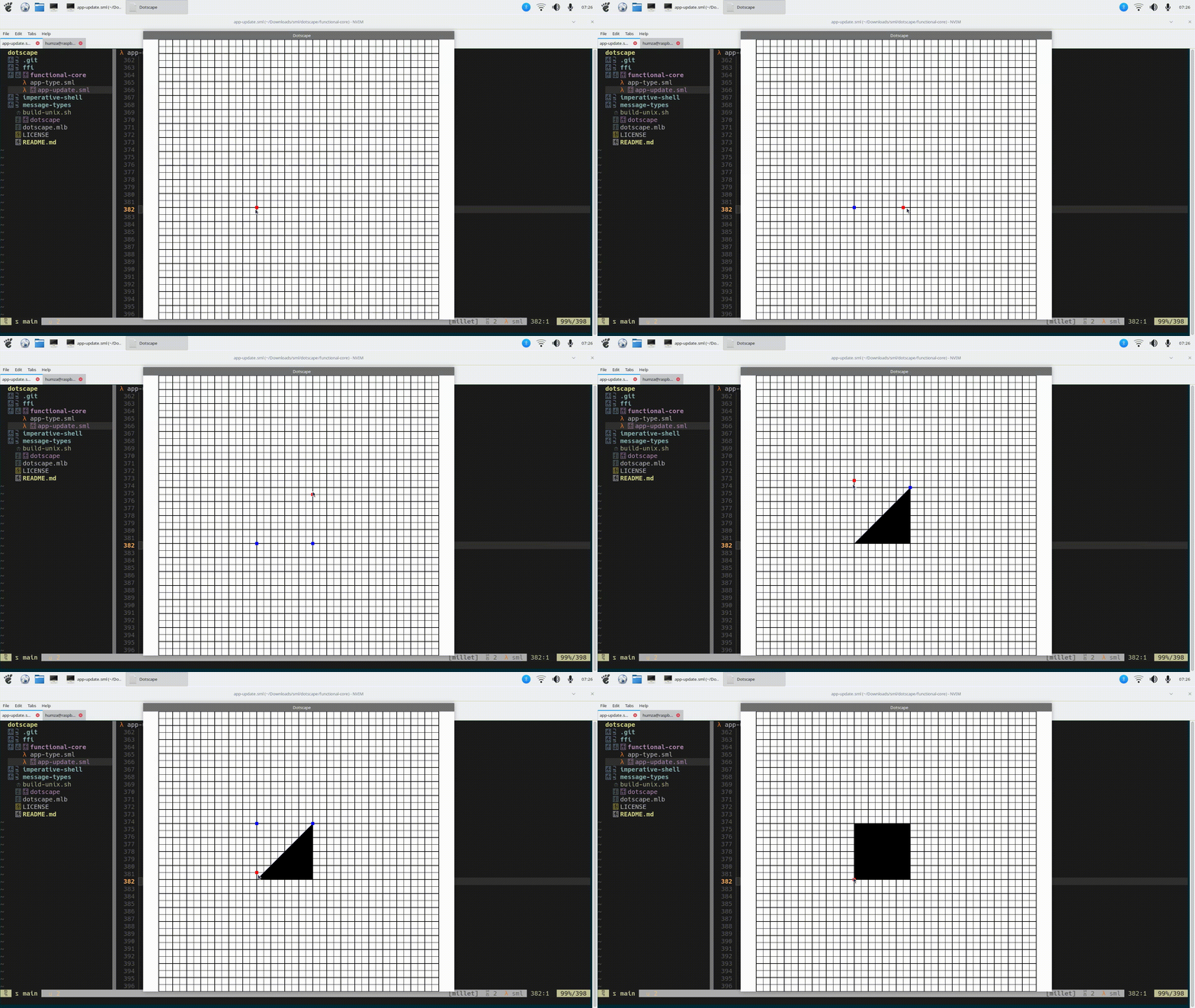
Dotscape is a simple GUI program for composing 2D shapes out of triangles and exporting them to code for use with OpenGL or other graphics libraries.
## Why
I wanted to create glyphs in OpenGL for one of my other projects.
I coded vectors for 'A' and 'B' (containing 72 elements and 128 elements respectively), but the process was time consuming.
I wanted there to be a lightweight GUI editor specialised for creating 2D shapes that can be exported as code for use with OpenGL, and that's what this project is for.
## Demo
## Building
### Build requirements
Dotscape has only been tested on aarch64-linux (a Raspberry Pi 5) but it may work on other platforms.
Requirements include:
- The (MLton)[https://github.com/mlton/mlton] compiler for Standard ML
- OpenG ES 3.0
- The (GLFW)[https://github.com/glfw/glfw] windowing library
The last two requirements may be a bit malleable because the project follows the (Functional Core, Imperative Shell)[https://hummy123.github.io/2024/06/20/Functional-Core,-Imperative-Shell.html] architecture, maintaining a strict separation between pure and impure code.
### How to build
1. `git clone https://github.com/hummy123/dotscape`
2. `cd dotscape`
3. `./build-unix.sh`
4. `./dotscape`
## To do
This isn't an exhaustive list, but these are some features I would like to add to this project at some point from the top of my head.
[-] Display clicked positions
[-] Redraw components when resized
[ ] Support undo (with ) and redo (with or )
[ ] Export to code (possibly different options like creating a flat array/vector or an index buffer)
[ ] Linear interpolation - instead of exporting a vector, export a function which takes (xPos, yPos, xLength, yLength) arguments and lengths and returns a vector where the object is fitted in these coordinates.
[ ] Save drawn project to a custom file format and allow reloading
[ ] Add right-side panel with options (like adjusting x/y coordinates in a number input, possibly layers, selecting export options...)
[ ] Support setting more z coordinates and (r,g,b,a) colour values.
There's quite a bit to do!